# 登录Emby

### 这一步默认是您已经下载好了emby客户端，没有下载好的话请耐心看完上一步

登录这一步我们目前介绍Windows客户端的登录方法，其他客户端类似

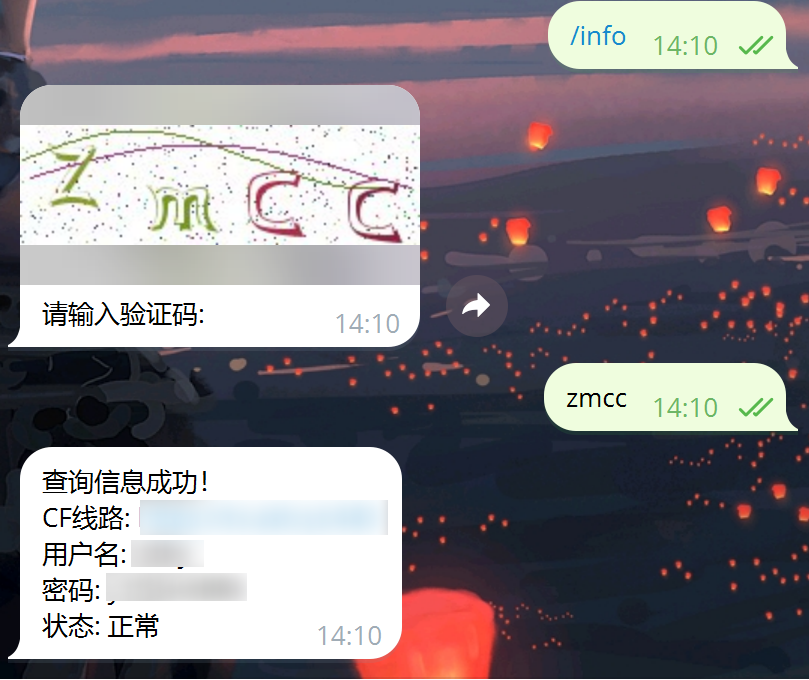
去机器人获取线路信息，**查看线路信息**时提到了，这里就不再重复赘述

### 信息如下图，就是让你复制的那个

<figure><img src="/files/YCJHSOaFNCfArhe1a7vR" alt=""><figcaption></figcaption></figure>

1、到桌面双击打开您下载好的客户端

<figure><img src="/files/goVjrBMXEL4j14GPehtZ" alt=""><figcaption></figcaption></figure>

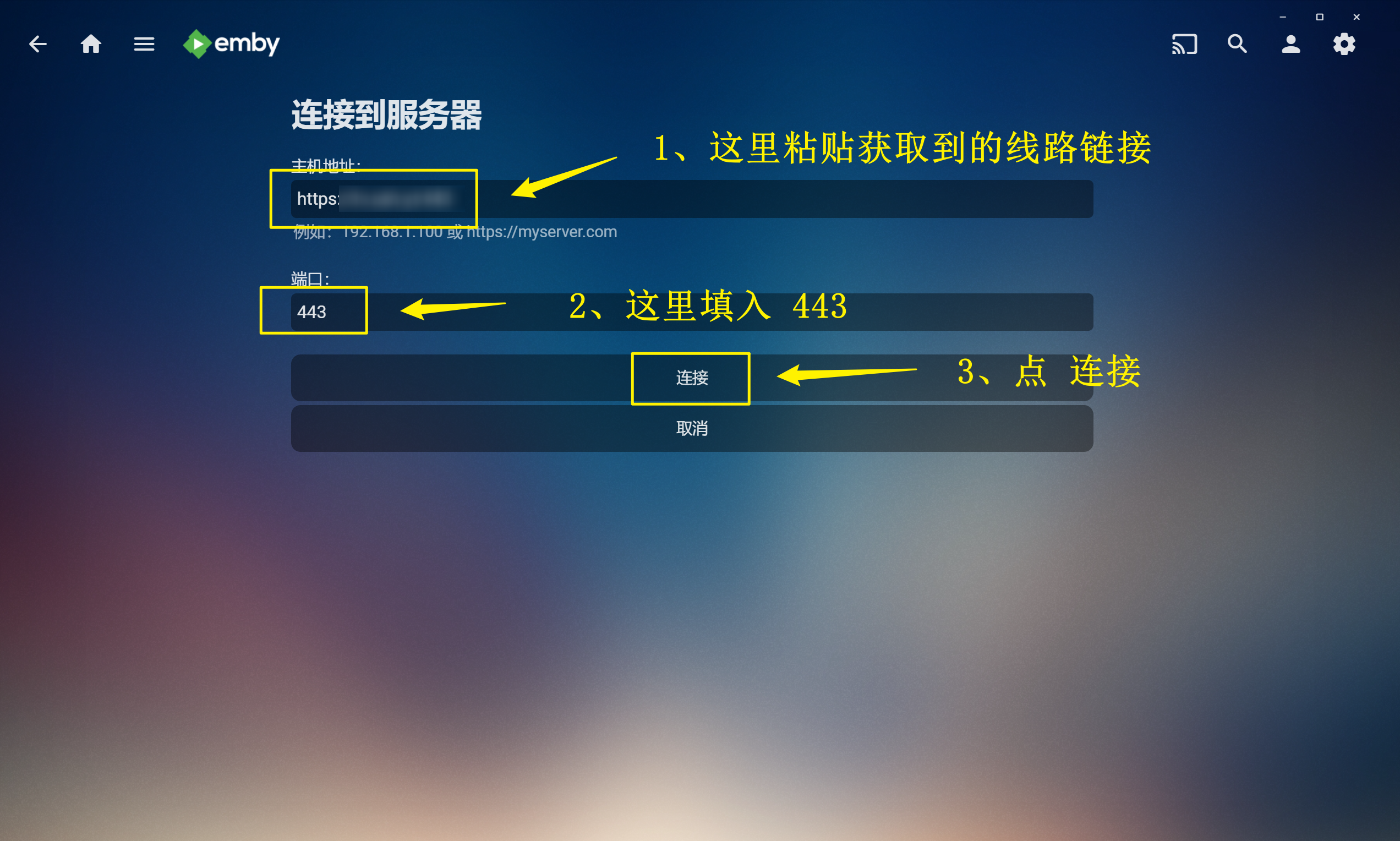
2、输入您在机器人那获取到的线路信息

具体如下图

<figure><img src="/files/aaNmW0CvI25znHIqOWqt" alt=""><figcaption></figcaption></figure>

### 注：主机地址 那只要输入网站即可，如果网站后面有 **:443** ，那么务必要把 :443 给删了

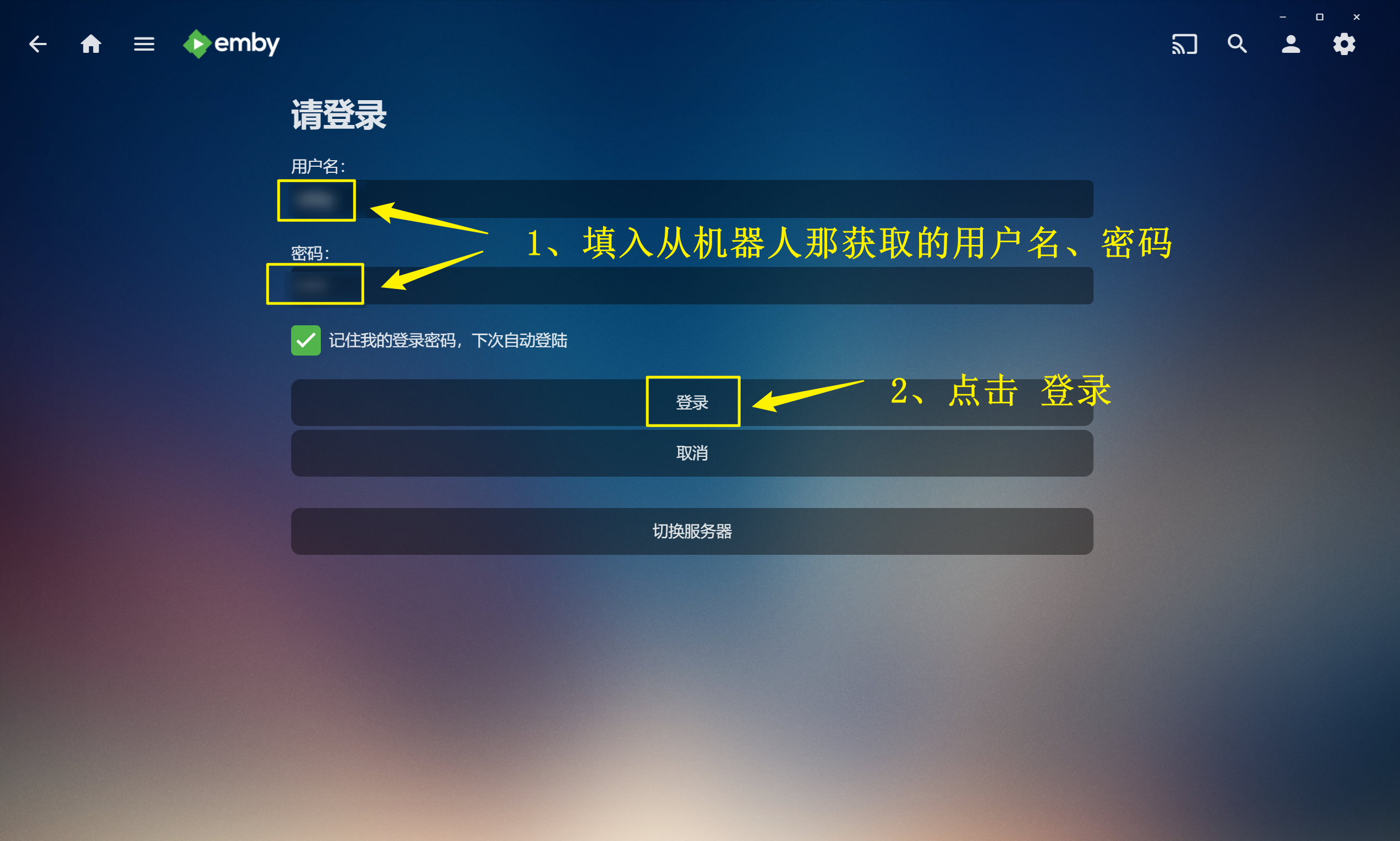
3、填入获取到的用户名、密码，点击登录

<figure><img src="/files/BJPsk8pnRfIu4X4BIwxc" alt=""><figcaption></figcaption></figure>

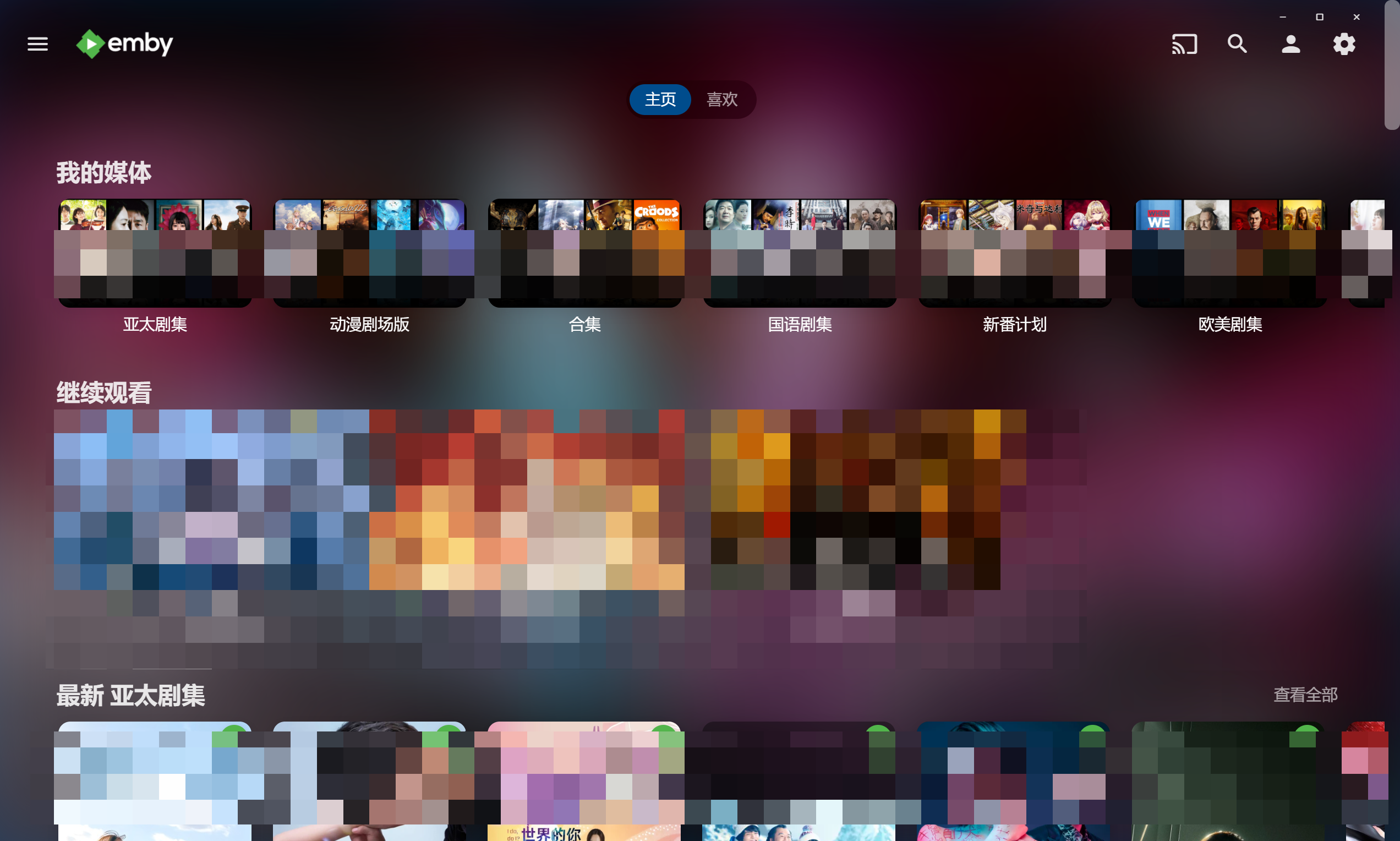
### 接着你就可以愉快观影了

<figure><img src="/files/xrOwnQzifpuHkhx1LrHn" alt=""><figcaption></figcaption></figure>

### 注：

如果你注册的账号里面有观影记录或者是其他记录的话，不用担心，这个账号目前属于你的了，不影响任何使用


---

# Agent Instructions: Querying This Documentation

If you need additional information that is not directly available in this page, you can query the documentation dynamically by asking a question.

Perform an HTTP GET request on the current page URL with the `ask` query parameter:

```
GET https://wiki.ash.yt/shi-yong-jiao-cheng/emby-shi-yong-jiao-cheng/deng-lu-emby.md?ask=<question>
```

The question should be specific, self-contained, and written in natural language.
The response will contain a direct answer to the question and relevant excerpts and sources from the documentation.

Use this mechanism when the answer is not explicitly present in the current page, you need clarification or additional context, or you want to retrieve related documentation sections.